Loyalty for neighbourhood shops

From first visit to “the usual”.

Regularhood turns walk-ins into regulars. Points on every bill, rewards your customers can see on their phone, and a nudge when they haven’t been back. Nothing for them to install.

  • Free to start
  • Set up in two minutes
  • Any phone with a camera
Pick a shop like yours
Works for any shop that gives a bill: gyms, boutiques, tiffin services, juice bars…

Why it matters

A new customer pays, smiles and walks out. Whether they come back is left to luck.

  • Punch cardsget lost in a wallet, or never come out of it.
  • Discountsbring people once and cut into every bill after.
  • Memoryknows faces, not who hasn’t been in for a month.
  • Regularhoodremembers every customer for you, and gives them a reason to return.

What a regular looks like

Priya at the salon · each dot is a visit · Aug → Oct
  1. Week 1First haircut. Scans the bill QR and gets welcome points.
  2. Week 7Back for threading, then a hair spa. A free haircut is close, and the card shows it.
  3. Week 12Every three weeks, same chair. Doesn’t try the salon next door.
First visit · a ₹350 haircut“Same as last time, didi.”

How it works

Three steps, all on the phone you already have.

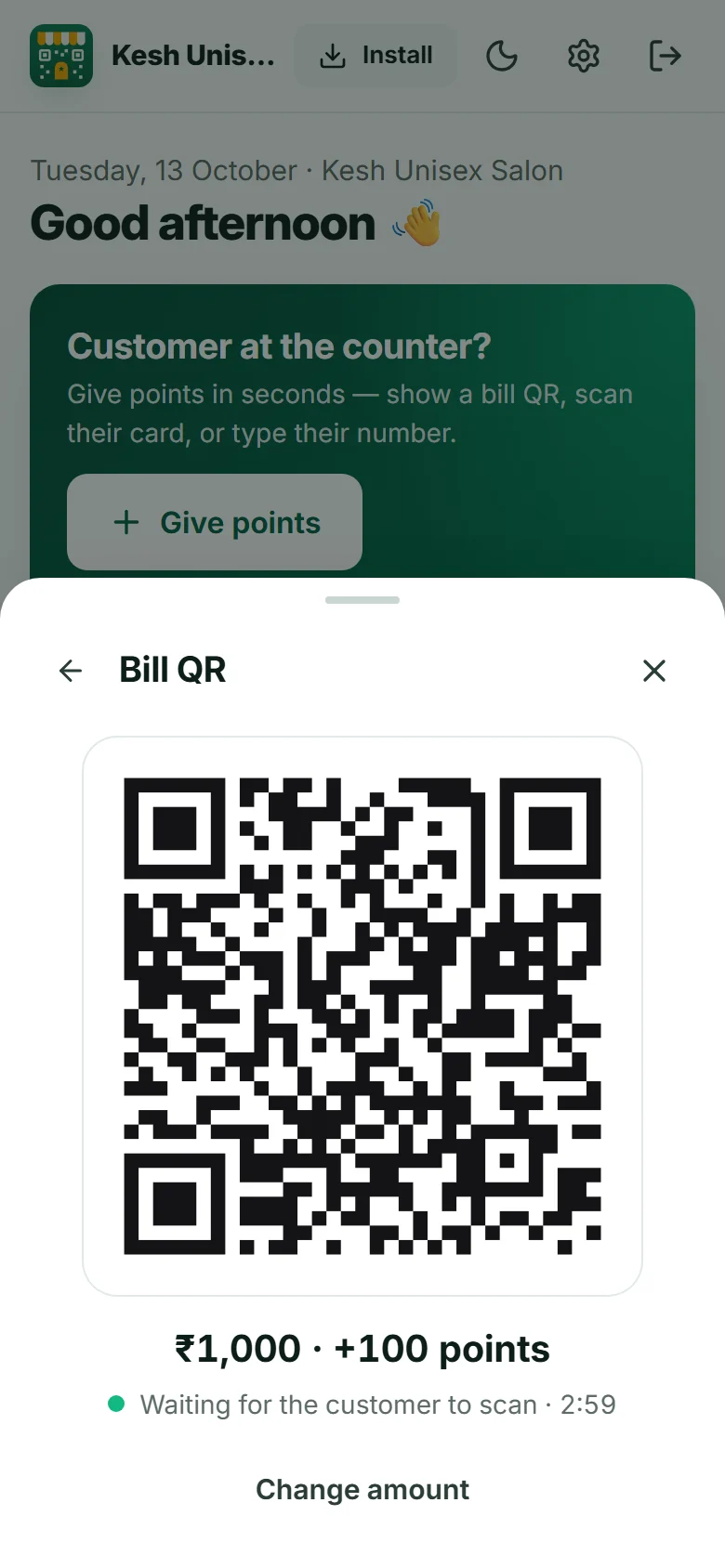
Bill QR · Kesh Unisex Salon+100points for ₹1,000
Waiting for scan · 2:41
STEP 1

Show the bill QR

Type the bill amount and turn your phone around. The customer scans it with their camera. New customers join right there.

Hi Priya
Kesh Unisex Salon · Member320

Shop for ₹800 more → Free haircut

My card
STEP 2

Points land on their phone

Their card opens from a link: balance, the next reward in rupees, their history, and a QR for next time.

Hi Priya! 🎉 You earned 100 points at Kesh Unisex Salon. Your balance: 320 points. regularhood.in/w/…
5 weeks later
We miss you at Kesh Unisex Salon! You have 320 points waiting — your free haircut is close.
STEP 3

They come back

A reward to aim for, a birthday treat, and a one-tap WhatsApp message when someone has been away for a month.

The app

This is what you’ll use. Real screens, not mock-ups.

Regularhood runs in the browser on your phone and installs to the home screen. Here it is at a salon.
Pick a shop like yours
Works for any shop that gives a bill: gyms, boutiques, tiffin services, juice bars…
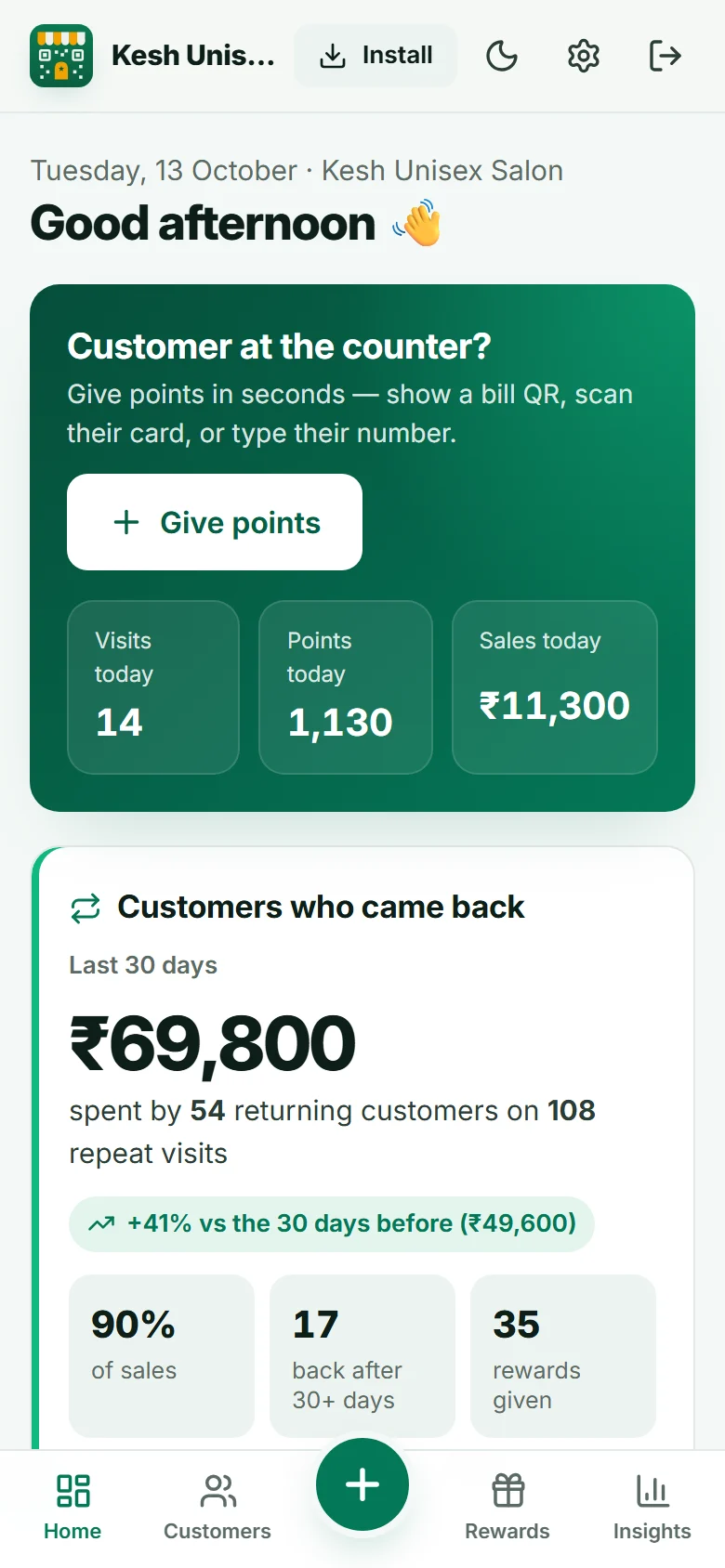
Regularhood dashboard at a salon: today’s visits and sales, and what returning customers spent in 30 days
Your day at a glanceToday’s visits and sales, and what returning customers spent this month.
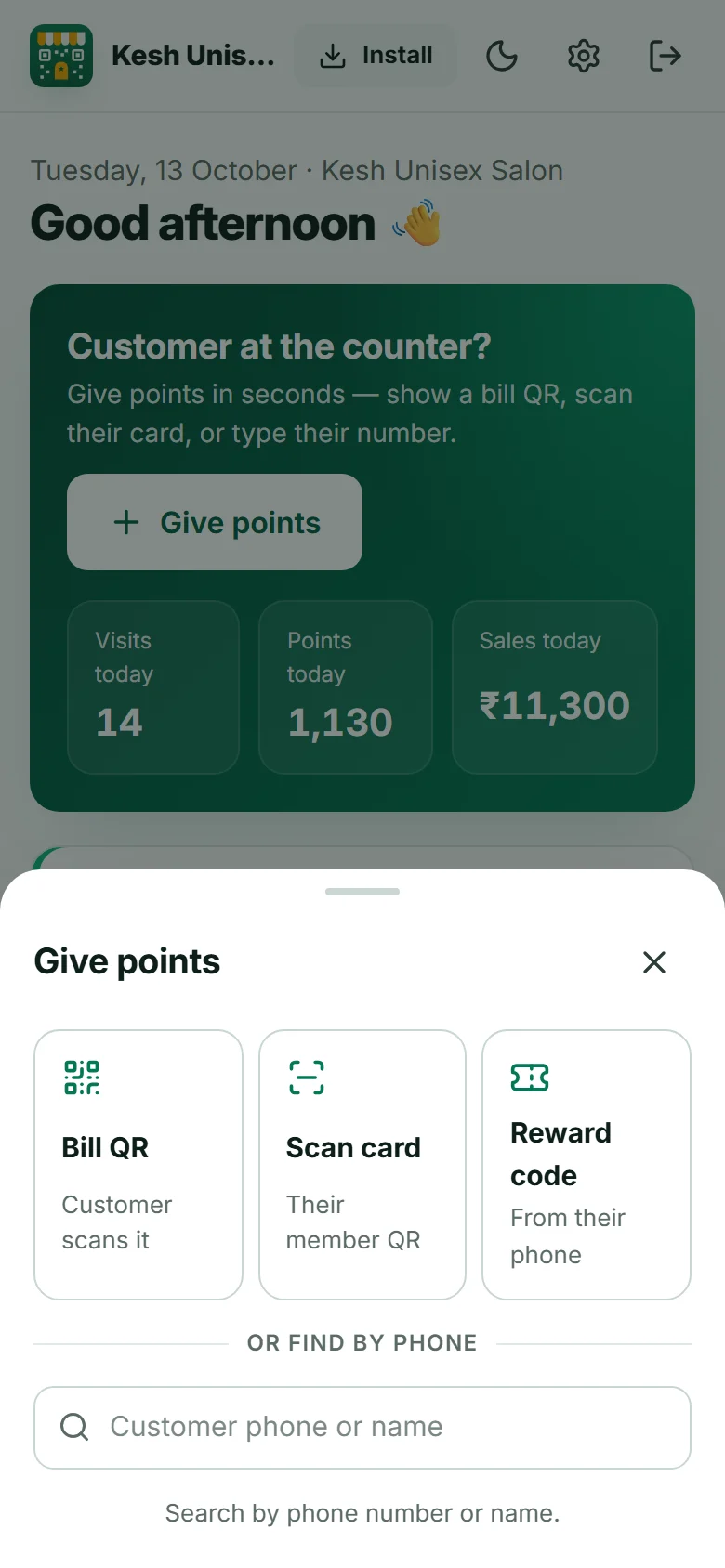
Give points sheet with Bill QR, Scan card, Reward code and phone search
One button at the counterBill QR, scan their card, a reward code, or their phone number.
Bill QR for a ₹1,000 bill worth 100 points, waiting for the customer to scan
The bill QRThe customer scans, and your screen says “Points added” by itself.

At the counter

Built for a queue, not a demo.

Four ways to give points or a reward. Use whichever is fastest for the customer in front of you.

Bill QR

You type the amount, they scan. If they saved their card before, it takes one tap on their side.

Scan their card

The customer opens “My card”. You point your camera at it and their name comes up.

Phone number

No smartphone, no problem. Type their number and the bill, and they still collect points.

Reward code

They tap “Get it” on a reward and read you a code. You check who it is, then hand it over.

1403 10:00
A daily limit per customer “Are you sure?” on very large bills Undo for any mistake Every change in an activity log

For your customers

Their card lives on their phone.

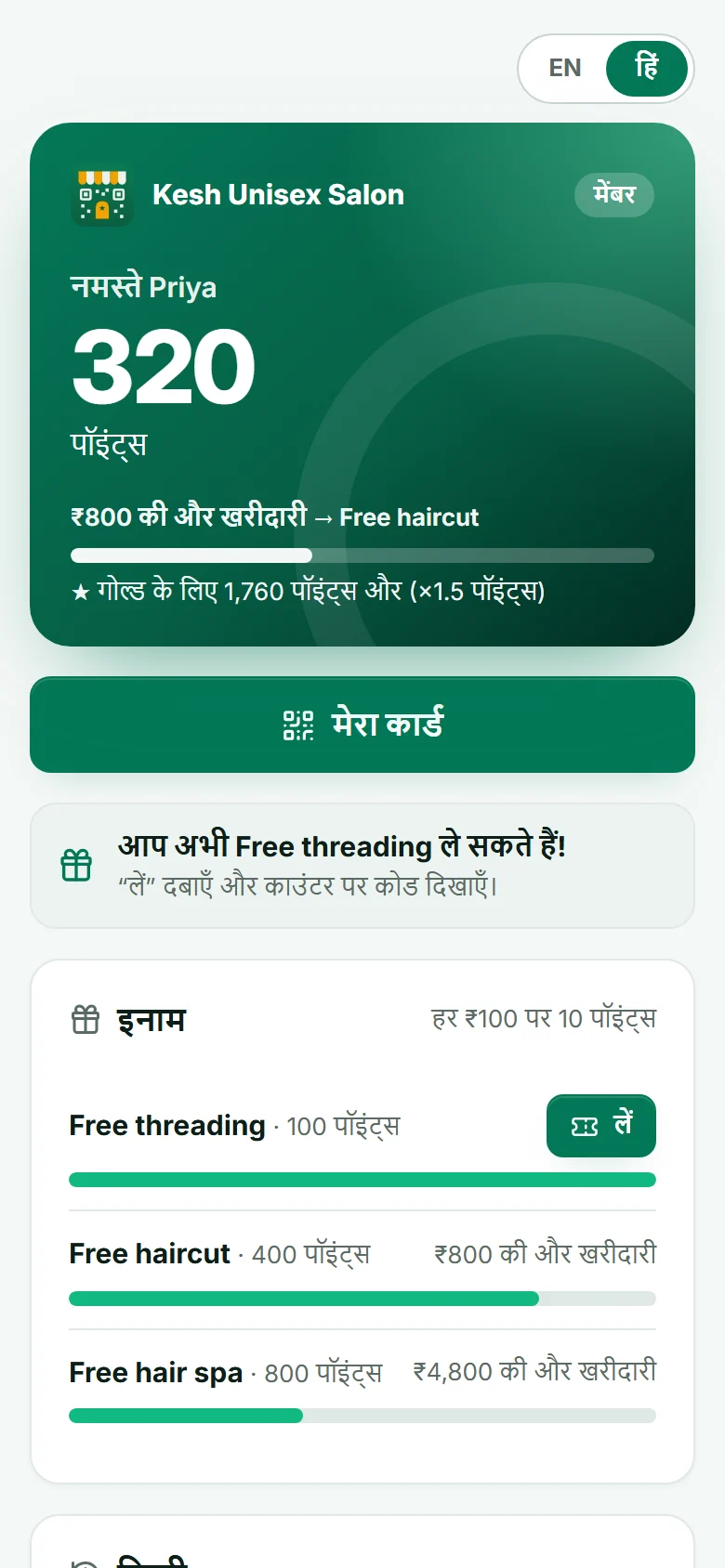
No app to download and no password to remember. A link opens their card, and it can sit on the home screen like any app.
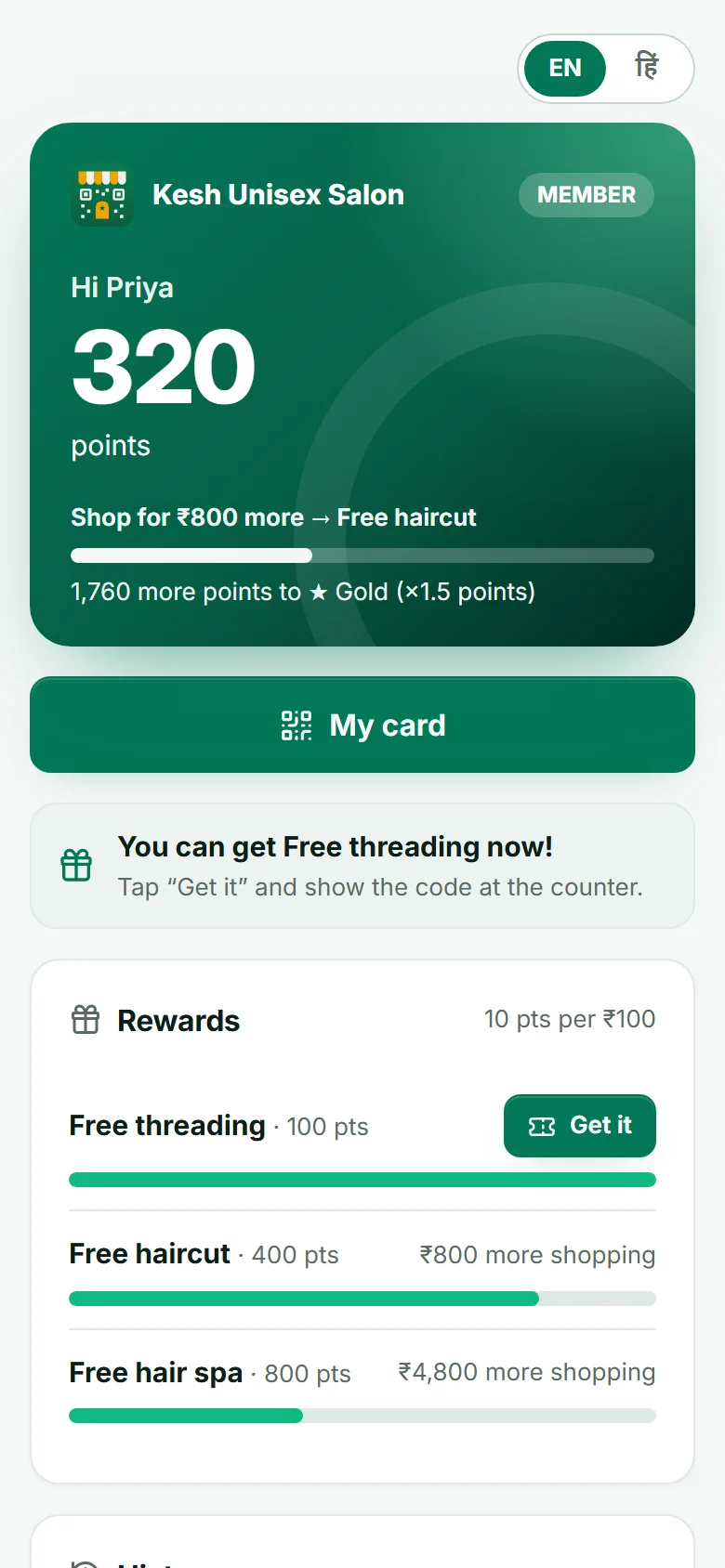
  • The next reward shown in rupees, so “₹800 more” means something.
  • English or Hindi, one tap. Try it on the card.
  • A phone number and 4-digit PIN open it from any other phone.
  • Every bill can be sent to them on WhatsApp, with their card link.
Priya's card at Kesh Unisex Salon: 320 points, shop for ₹800 more for free haircut

On your dashboard

Know if it’s working, in rupees.

Every day your dashboard shows what customers who came back spent in the last 30 days, how that compares with the month before, and who returned after a month away.

Customers who came backLast 30 days
₹1,24,600

spent by 86 returning customers on 131 repeat visits

+18% vs the 30 days before
46%of sales
12back after 30+ days
19rewards given

Example figures at a salon

Your customers stay yours

Built so you can trust it with your regulars.

Never sold or shared

Your customers’ names and numbers are yours. We don’t sell them, share them or message them ourselves.

Take it with you

Download your customers and full points history as a spreadsheet whenever you like.

Saved every day

A copy of your data is kept every day, so a bad day doesn’t cost you your customers.

Mistakes are easy to catch

Limits, big-bill checks and an activity log show who changed what, and when.


Pricing

Free to start.

Sign up, print your counter QR and give your first points today. No card needed.

₹0to get started
  • Bill QR, card scan and phone-number points
  • Rewards, Gold tier, welcome and birthday bonuses
  • Customer cards in English and Hindi
  • WhatsApp messages and “we miss you” reminders
  • Dashboard with what returning customers spent
  • Spreadsheet export and daily backups
Create your shop

Questions

Asked at the counter.

Do my customers need to download an app?

No. Their card opens from a link in the browser. They can add it to their home screen if they like, but they never have to install anything.

What if a customer doesn’t have a smartphone?

Type their phone number and the bill amount. They collect points the same way, and you can redeem rewards for them from their page.

What do I need at the counter?

Any phone with a camera and internet. Open Regularhood in the browser or install it on your home screen. A printed QR poster helps new customers join on their own.

Can staff give extra points to friends?

You set a limit on how many times one customer can get points in 24 hours, and very large bills ask for a second confirmation. Every undo, adjustment and deletion is recorded in the activity log.

What happens if a customer forgets their PIN?

If they’ve opened their card on that phone before, it opens without the PIN and they can set a new one. Otherwise, send them their card link from your customer list.

Can I get my data out?

Yes. Settings → Your data downloads your customers and full points history as spreadsheets that open in Excel or Google Sheets.

Your next regular walks in today.

Set up takes two minutes. Your first points can go out with the next bill.
Start free